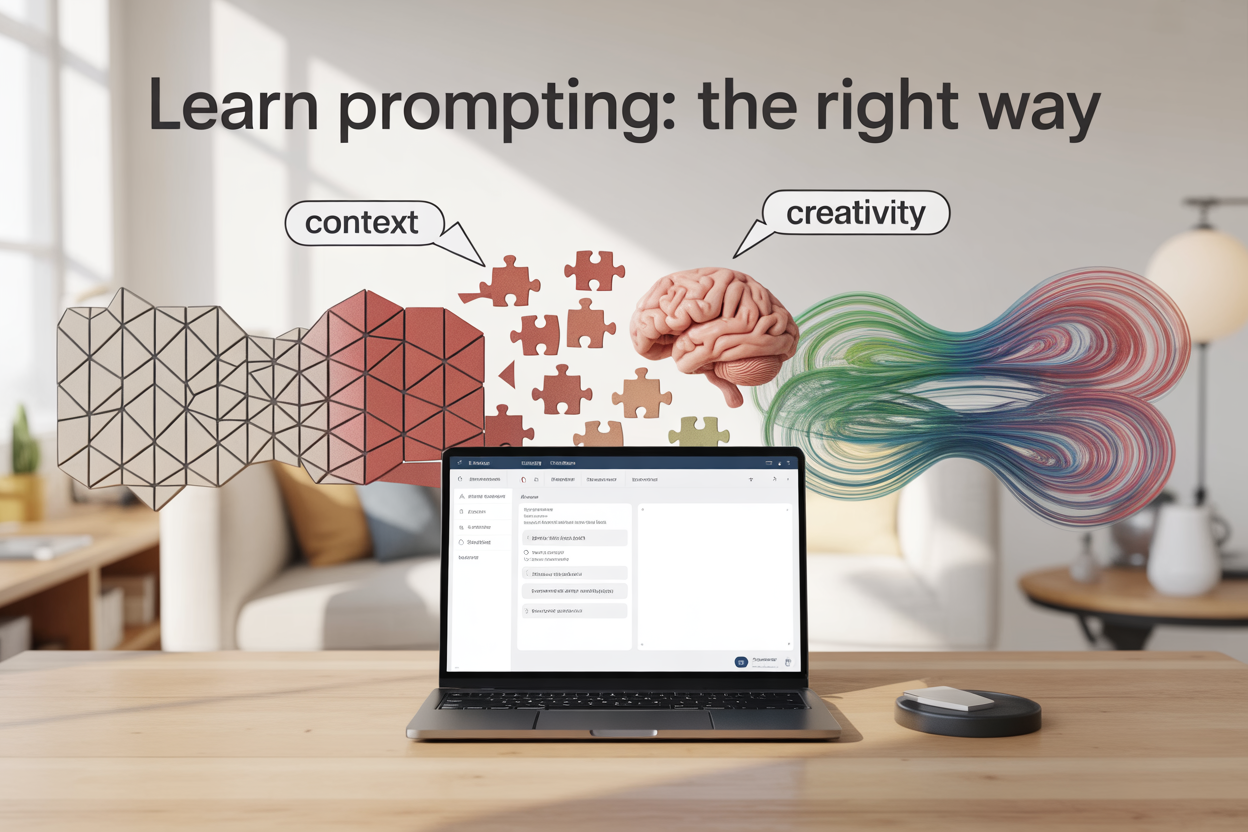
Prompting AI assistants isn’t just about asking questions—it’s about asking the right questions with the right amount of detail. Most people struggle with finding that sweet spot where their AI helper has enough information to be accurate but not so much that it becomes rigid and uncreative.
This guide is for anyone using AI tools like ChatGPT, Claude, or other language models who wants to get better results without the frustration of vague or overly restrictive responses. Learn prompting the right way by mastering the balance between context and creativity.
We’ll cover how to understand what context your AI actually needs to perform well, why too little information leads to hallucination while too much kills innovation, and practical techniques for crafting prompts that give your AI assistant the perfect framework to deliver exactly what you’re looking for.
Understanding Context in AI Prompting

Define Optimal Context Boundaries for AI Interactions
Context in AI prompting works like giving directions to a friend. You need to provide enough information so they can complete the task successfully, but not so much that they get confused or lose their ability to think creatively.
The sweet spot for context involves three key elements: purpose clarity, constraint definition, and creative space. Your AI needs to understand what you’re trying to accomplish, what limitations exist, and where it has freedom to innovate.
Think of context boundaries as invisible guardrails. Too narrow, and your AI can’t navigate effectively. Too wide, and it might wander off in directions you never intended. The goal is creating a focused workspace where the AI can operate confidently while staying aligned with your objectives.
Effective context boundaries include:
- Clear task definition with specific outcomes
- Relevant background information that impacts the response
- Format or style requirements
- Any constraints or limitations
- Areas where creativity is welcomed
Recognize the Signs of Insufficient Context Provision
When your AI doesn’t have enough context to work with, several warning signs appear consistently. The most obvious indicator is when responses feel generic or disconnected from your actual needs.
Generic responses often surface when AI lacks specific details about your situation. Instead of tailored advice, you get broad generalizations that could apply to anyone. This happens because the AI fills gaps with common assumptions rather than understanding your unique circumstances.
Repeated requests for clarification signal another red flag. If your AI keeps asking follow-up questions or seems uncertain about basic aspects of your request, you likely haven’t provided sufficient foundational information.
Off-target solutions represent another common symptom. Your AI might provide technically correct information that completely misses your actual goal. This disconnect occurs when the AI lacks context about your broader objectives or specific constraints.
Watch for these specific indicators:
- Responses that feel too broad or general
- Solutions that ignore important constraints
- Answers that seem to address a different problem
- Multiple clarifying questions in succession
- Content that lacks relevance to your specific situation
Identify When Excessive Detail Overwhelms AI Performance
Providing too much context creates its own set of problems. While insufficient context leads to vague responses, excessive detail can actually stunt your AI’s performance and creativity.
Information overload manifests when your AI becomes overly cautious or starts focusing on minor details while missing the bigger picture. Instead of using its reasoning capabilities, it might simply regurgitate information you’ve provided without adding meaningful analysis or insights.
Creativity suppression occurs when excessive constraints leave no room for innovative thinking. Your AI might produce technically accurate but uninspired responses because it’s trying to satisfy too many specific requirements simultaneously.
Analysis paralysis shows up when the AI gets stuck weighing numerous details instead of taking action. This often happens when contradictory information creates confusion about priorities or when too many options are presented without clear decision-making criteria.
Signs of context overload include:
| Problem | What You’ll See |
|---|---|
| Over-specification | Responses that strictly follow every detail without adding value |
| Reduced creativity | Solutions that feel mechanical or obvious |
| Lengthy processing | Unnecessarily complex responses to simple questions |
| Detail fixation | Focus on minor points while missing main objectives |
| Conservative approach | Reluctance to make reasonable assumptions or suggestions |
The key is finding the balance where your AI has enough information to be helpful but enough freedom to be genuinely useful.
The Problem of AI Hallucination

Understand how lack of context triggers false information
When AI systems receive vague or incomplete prompts, they fill in the gaps using patterns from their training data. This gap-filling mechanism becomes problematic when the AI makes confident assertions about information it doesn’t actually possess. Think of it like asking someone for directions to “the coffee shop” in a city without specifying which one – they’ll pick the most popular option they know, even if it’s not what you wanted.
Context-poor prompts force AI models to make assumptions. If you ask “What happened in the meeting yesterday?” without specifying which meeting, who attended, or what organization you’re referring to, the AI will fabricate details that sound plausible but are completely fictional. The model draws from general meeting patterns it has learned, creating a coherent but false narrative.
The danger lies in the AI’s confidence level. These hallucinated responses often sound authoritative and well-structured, making them difficult to identify as fabrications. The model presents fictional information with the same certainty it would use for factual content, creating a false sense of reliability.
Spot common hallucination patterns in AI responses
Several telltale signs indicate when an AI response contains hallucinated content. Watch for overly specific details that weren’t provided in your prompt – dates, names, statistics, or technical specifications that seem too precise given the limited context you supplied.
Inconsistent information within the same response signals potential hallucination. If the AI mentions contradictory facts or provides details that don’t align logically, it’s likely filling knowledge gaps with fabricated content. Pay attention to responses that seem too comprehensive for the scope of information you provided.
| Hallucination Pattern | Example | Red Flag |
|---|---|---|
| Fabricated statistics | ”73% of users prefer this method” | No data source provided |
| Made-up quotes | Direct speech from unnamed sources | Suspiciously perfect wording |
| False specificity | Exact dates, times, measurements | Too precise without context |
| Confident uncertainty | Definitive answers to vague questions | Overconfident tone |
Generic language masquerading as expertise represents another common pattern. The AI might use authoritative phrases like “studies show” or “experts agree” without citing actual sources, creating an illusion of credibility around fictional information.
Learn prevention strategies for context-deficient prompts
Building context-rich prompts requires strategic information layering. Start with the foundational elements: who, what, when, where, and why. Instead of asking “How do I fix this?”, specify “How do I troubleshoot a WordPress website that’s loading slowly for logged-in users on mobile devices?”
Define your boundaries and constraints clearly. Tell the AI what information you have available and what you don’t know. If you’re unsure about certain details, acknowledge these uncertainties directly in your prompt. This transparency helps the AI avoid making assumptions about missing information.
Use the “assumption check” technique by explicitly asking the AI to identify what assumptions it’s making. Add phrases like “If you need to make assumptions, please state them clearly” or “Let me know what additional information would improve your response accuracy.”
Create context anchors by providing concrete examples or reference points. Instead of asking about “effective marketing strategies,” specify “marketing strategies for B2B SaaS companies with annual revenues under $10 million targeting small business owners.” This specificity prevents the AI from defaulting to generic advice that might not apply to your situation.
Implement a verification step by asking the AI to explain its reasoning or cite the basis for its recommendations. Phrases like “Please explain how you arrived at this conclusion” or “What evidence supports this approach?” help surface potential hallucinations before you act on the information.
Balancing Detail and Creative Freedom

Provide essential information without micromanaging
Think of prompting like giving directions to a talented chef. You want to tell them what cuisine you’re craving and any dietary restrictions, but you don’t need to dictate every spice measurement or cooking technique. The same principle applies when working with AI.
Start by identifying the core elements your AI needs to succeed: the objective, key constraints, format requirements, and target audience. These form your prompt’s foundation. For example, instead of saying “Write a marketing email with a subject line that’s catchy but not too casual, approximately 150-200 words, using persuasive language but not too pushy, with a call-to-action button that says ‘Learn More’ in blue color,” try this: “Write a professional marketing email promoting our new productivity app to busy professionals. Include a compelling subject line, keep it under 200 words, and end with a clear call-to-action.”
The difference is striking. The first version drowns the AI in unnecessary details about color choices and exact word counts, while the second provides clear direction while trusting the AI’s capabilities. Your job is to set the stage, not direct every scene.
Leave strategic gaps for AI innovation and problem-solving
Smart prompting means knowing what not to say. Strategic gaps in your prompts create space for AI to showcase its strength: pattern recognition, creative connections, and problem-solving abilities. These gaps aren’t accidents – they’re intentional openings that invite innovation.
Consider the difference between these approaches:
| Micromanaged Prompt | Strategic Gap Prompt |
|---|---|
| ”Use exactly three examples, make them from different industries, ensure one is tech-related" | "Support your points with relevant examples from various industries" |
| "Structure as intro paragraph, three body paragraphs, conclusion" | "Present your analysis in a logical, easy-to-follow structure" |
| "Use bullet points for benefits, numbered lists for steps" | "Organize the information for maximum clarity and impact” |
The strategic gap approach allows AI to choose the most effective examples, determine the optimal structure, and select formatting that best serves the content. This flexibility often produces better results than rigid specifications.
Think about areas where AI excels: finding unexpected connections, generating creative alternatives, and adapting tone to context. Leave these decisions open unless you have specific requirements that truly matter to your end goal.
Master the art of guided flexibility in prompt design
Guided flexibility combines clear boundaries with creative freedom. It’s like creating a sandbox with defined edges but letting the AI build whatever castle makes sense within those limits. This approach requires understanding which elements demand precision and which benefit from AI interpretation.
Start with your non-negotiables. These might include factual accuracy requirements, ethical boundaries, legal compliance, or specific formatting needs. Be explicit about these constraints. Then identify areas where variation could actually improve the output – tone adaptation, example selection, explanation depth, or creative analogies.
Here’s how this looks in practice:
- Fixed elements: Create social media content for LinkedIn targeting marketing directors at mid-size companies. Focus on email automation benefits. Include a question to encourage engagement.
- Flexible elements: Let the AI choose specific benefits to highlight, determine the best hook, select relevant statistics, and craft the engagement question.
This framework gives you predictable outcomes in areas that matter while harnessing AI creativity where it adds value. The AI can adapt its approach based on what resonates best with your target audience, something rigid prompts often miss.
Master this balance by testing different constraint levels. Start with looser guidance and tighten only the areas where the output consistently misses your mark. This iterative approach helps you discover the sweet spot between control and creativity for different types of tasks.
Crafting Context-Rich Prompts

Structure Prompts with Clear Objectives and Constraints
Building effective prompts starts with defining what you want and what you don’t want. Think of your prompt as a mini project brief - you need to spell out the goal upfront and set boundaries that keep your AI assistant focused.
Start every prompt with a clear action verb: “Write,” “Analyze,” “Create,” “Summarize,” or “Compare.” Follow this with your specific objective. Instead of saying “Tell me about marketing,” try “Create a 3-month social media strategy for a local bakery targeting millennials.” This immediately gives your AI a concrete target to aim for.
Constraints are equally important as objectives. Set limits on length, tone, audience, and scope. If you want a professional email, specify “formal business tone, under 150 words, suitable for C-level executives.” These boundaries prevent your AI from wandering into irrelevant territory or producing content that misses the mark.
| Weak Prompt | Strong Prompt |
|---|---|
| ”Write about dogs" | "Write a 500-word informative article about golden retriever care tips for first-time dog owners" |
| "Help with my presentation" | "Create 5 PowerPoint slide titles for a quarterly sales review targeting regional managers” |
Include Relevant Background Information Efficiently
Context is your AI’s compass, but too much background information can overwhelm and confuse. The trick is knowing what details actually matter for your specific task.
Share only the background that directly impacts the output you need. If you’re asking for marketing copy, mention your target audience, brand voice, and key selling points. Skip the company’s founding story unless it’s relevant to the message. If you need technical documentation, provide the system specifications and user skill level, but don’t include the entire project history.
Use bullet points to organize background information cleanly:
- Company: SaaS startup, 50 employees
- Target audience: Small business owners, non-technical
- Current challenge: Low user adoption of new feature
- Goal: Increase feature usage by 25%
This format helps your AI quickly parse what’s important without getting lost in narrative details. Remember, your AI doesn’t need to understand your entire business - just enough to complete the specific task at hand.
Specify Desired Output Format and Scope
Your AI can produce content in countless formats, but it needs explicit direction about what you want. Being specific about format and scope eliminates guesswork and reduces back-and-forth revisions.
Define the exact deliverable: Is it a bulleted list, a formal report, a casual email, or a structured table? Specify word count ranges, section headings, and any formatting requirements. If you need citations, mention the style. If you want code examples, specify the programming language.
Scope is about depth and breadth. Do you want a high-level overview or deep technical analysis? Should it cover all aspects of a topic or focus on specific elements? Setting scope prevents your AI from either oversimplifying complex topics or diving too deep into areas you don’t need.
Incorporate Examples When Beneficial
Examples are powerful teaching tools that show your AI exactly what success looks like. They’re especially valuable when you need a specific style, format, or approach that’s hard to describe in words alone.
Use examples when:
- The tone or style is crucial (showing a sample paragraph)
- The format is complex (providing a template structure)
- The quality bar is high (demonstrating excellence)
- The context is unique to your industry (sharing relevant samples)
Keep examples focused and relevant. One good example is worth more than three mediocre ones. If you’re asking for social media posts, show a post that captures the exact voice and engagement style you want. If you need data analysis, provide a sample of the kind of insights and presentation format you expect.
Don’t rely on examples as a crutch, though. They should supplement clear instructions, not replace them. Your AI needs to understand the principles behind the example so it can adapt and create original content that fits your specific needs.
Advanced Prompting Techniques

Use iterative refinement to optimize context levels
Think of prompting like tuning a guitar string - you need to make small adjustments until you hit the perfect pitch. Iterative refinement works the same way. Start with your initial prompt, then analyze the AI’s response to see where it went off track or missed the mark.
Here’s how to make it work: Send your first version and pay attention to what the AI produces. Did it give you generic advice when you needed something specific? Add more context about your situation. Did it get too bogged down in details and miss your main point? Trim some background information.
The key is making one adjustment at a time. If you change three things at once, you won’t know which tweak actually improved the output. Keep a log of what works - maybe bullet points perform better than paragraphs for your use case, or maybe the AI responds better when you mention your experience level upfront.
Try this approach: Version 1 gets you 60% of what you want, Version 2 bumps it to 80%, and Version 3 nails exactly what you’re after. Each iteration teaches you something about how that particular AI model processes information and responds to different context levels.
Apply role-based prompting for specialized tasks
Role-based prompting transforms your AI from a generic assistant into a specialized expert. Instead of asking “How do I write a marketing email?” try “You’re a direct response copywriter with 10 years of experience in B2B software sales. Write me a marketing email that…”
The difference is night and day. When you assign a specific role, the AI taps into training patterns associated with that profession or expertise area. A “financial advisor” will naturally include risk disclaimers and speak about long-term planning. A “creative writing teacher” will focus on story structure and character development.
Here are roles that consistently deliver strong results:
- Subject matter expert: “You’re a cybersecurity specialist at a Fortune 500 company”
- Industry professional: “You’re a restaurant manager with 15 years of experience”
- Specific job function: “You’re a UX researcher conducting user interviews”
- Consultant role: “You’re a business consultant helping small companies streamline operations”
The magic happens when you combine the role with relevant context about their background, current situation, and what they’re trying to achieve. This creates a more authentic voice and ensures the advice comes from the right perspective for your needs.
Implement chain-of-thought prompting for complex problems
Chain-of-thought prompting breaks complex problems into digestible steps, just like how you’d work through a math problem by showing your work. Instead of expecting the AI to jump straight to the final answer, you guide it through a logical sequence.
Start by asking the AI to think through the problem step by step. Use phrases like “Let’s break this down:” or “Walk me through your reasoning:” This approach works especially well for analysis, planning, troubleshooting, and decision-making tasks.
Here’s the structure that works best:
- Problem identification: What exactly are we trying to solve?
- Information gathering: What facts and constraints do we need to consider?
- Option generation: What are the possible approaches or solutions?
- Evaluation: What are the pros and cons of each option?
- Recommendation: Which path makes the most sense and why?
For example, instead of “Should I launch this product?” try “Help me decide whether to launch this product. First, let’s identify the key factors we should consider. Then evaluate each factor based on my current situation. Finally, give me your recommendation with clear reasoning.”
This method prevents the AI from making assumptions or skipping important considerations. You get more thorough analysis and can actually follow the logic, which helps you trust the recommendations and adapt them to your specific circumstances.
Conclusion
AI prompting is all about finding that sweet spot between giving your assistant enough information to work with and leaving room for it to shine. When you nail the context, you get responses that are both accurate and creative. But when you skimp on details or go overboard with instructions, you end up with either wild hallucinations or responses that feel like they’re stuck in a box.
The secret lies in crafting prompts that set clear boundaries while still encouraging innovation. Think of it like giving directions to a friend - you want to tell them enough to get where they’re going, but not so much that they can’t take an interesting route. Start practicing with different levels of detail in your prompts, and pay attention to how your AI responds. The more you experiment with this balance, the better you’ll get at unlocking your AI assistant’s full potential without letting it wander off into fantasy land.